Metrics Monitoring and Alerting System
6 min read- What it is: internal ops metrics (CPU, memory, QPS) + alerts: NOT logs/tracing; ~10M metrics
- Retention: raw 7 days → 1-min resolution 30 days → 1-hour resolution 1 year (downsampling)
- Key choices: time-series DB (InfluxDB/Prometheus: never roll your own); pull vs push (pull wins for debugging/health, push for short-lived jobs); Kafka between collector and DB
- Alert pipeline: rules → alert manager (states: inactive/pending/firing/resolved) → Kafka → consumers → channels; at-least-once notification
- Build vs buy: buy alerting + visualization (Grafana): building is hard to justify
- 85% of queries hit the last 26 hours: storage optimized for that
Design a scalable metrics monitoring and alerting system for internal use by a large company. Out of scope: log monitoring and distributed tracing.
Figure 1: Popular services
Step 1 of 4: Understand the problem and establish design scope
Goal: lock in requirements and scale.
Requirements
- Monitor operational system metrics: CPU load, memory, disk space, requests/sec, server count. Not business metrics
- Scale: 100M DAU, 1,000 server pools × 100 machines/pool × 100 metrics/machine → ~10M metrics
- Data retention policy:
- Raw data: 7 days
- 1-minute resolution: 30 days
- 1-hour resolution: 1 year
- Alert channels: email, phone, PagerDuty, webhooks
Non-functional:
- Scalable for growing metrics/alert volume
- Low query latency for dashboards and alerts
- Highly reliable (no missed critical alerts)
- Flexible pipeline for future technology integration
Step 2 of 4: Propose high-level design and get buy-in
Goal: agree on the 5 components and the storage choice.
Five components
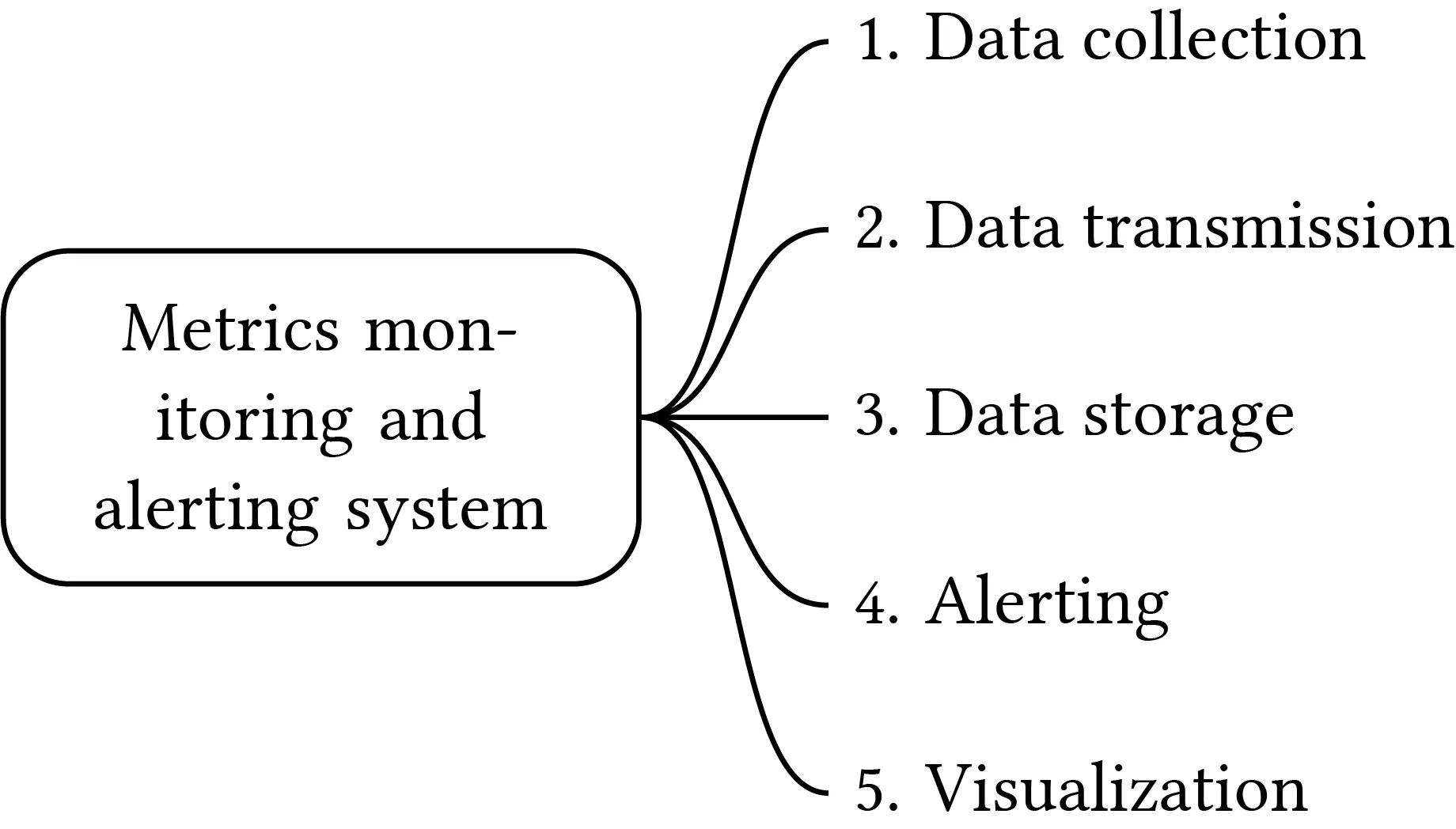
- Data collection: gather metrics from sources
- Data transmission: transfer to the monitoring system
- Data storage: organize and store incoming data
- Alert: detect anomalies, generate alerts, send to channels
- Visualization: present data in graphs/charts
Data model
Metrics = time series: uniquely identified by metric name + labels (tags).
Format (line protocol):
CPU.load host=webserver01,region=us-west 1613707265 50
Time series structure:
| Field | Type |
|---|---|
| Metric name | String |
| Tags/labels | List of <key:value> pairs |
| Values | Array of <value, timestamp> pairs |
Data access pattern
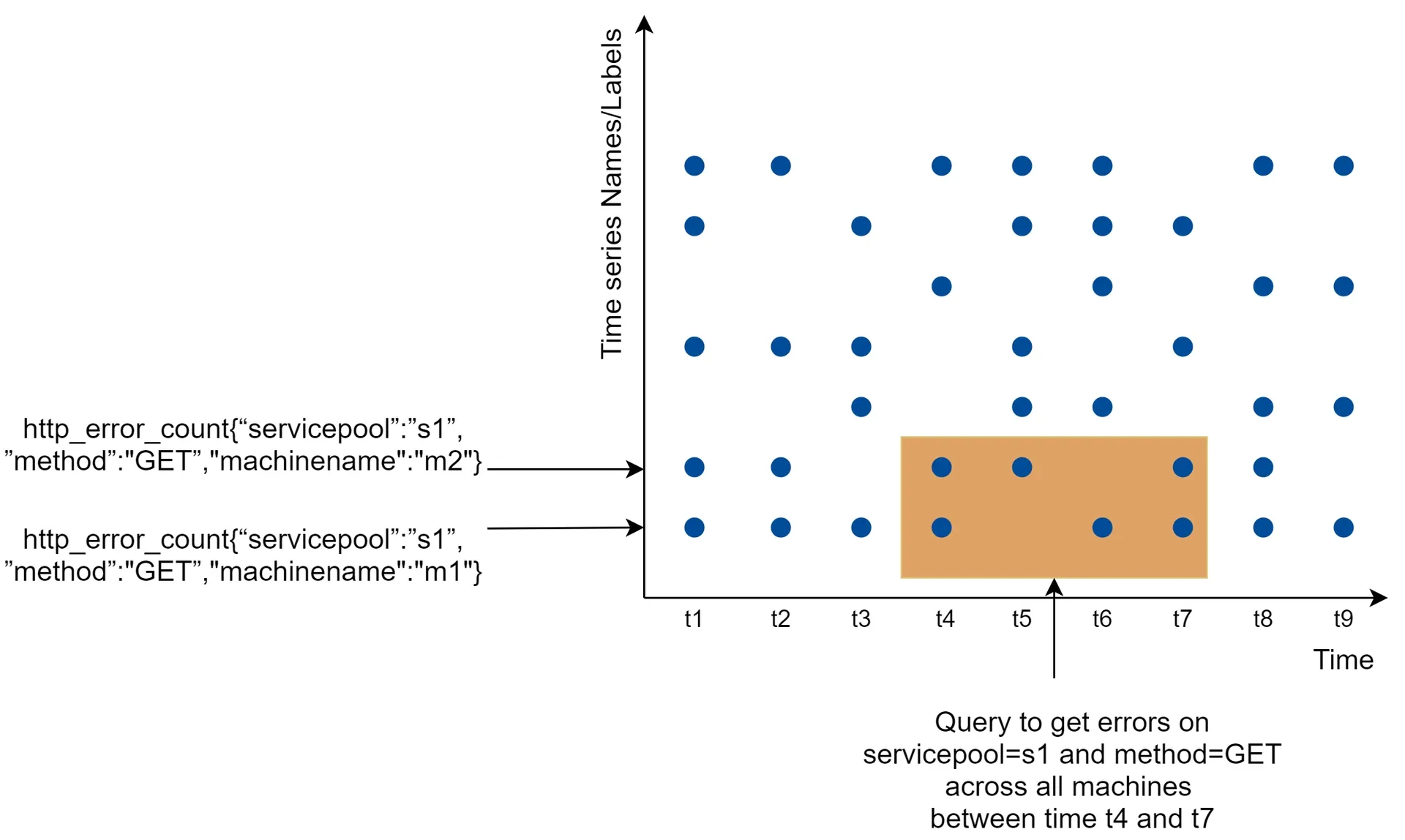
- Write-heavy: ~10M operational metrics written per day at high frequency
- Read-spiky: visualization + alert queries → bursty read volume
Data storage system
Do NOT build your own or use a general-purpose DB (MySQL). Relational DBs are not optimized for time-series (complex SQL for moving averages, index per tag needed, poor under constant heavy write).
- NoSQL (Cassandra, Bigtable): can work but requires deep internal knowledge for a scalable schema
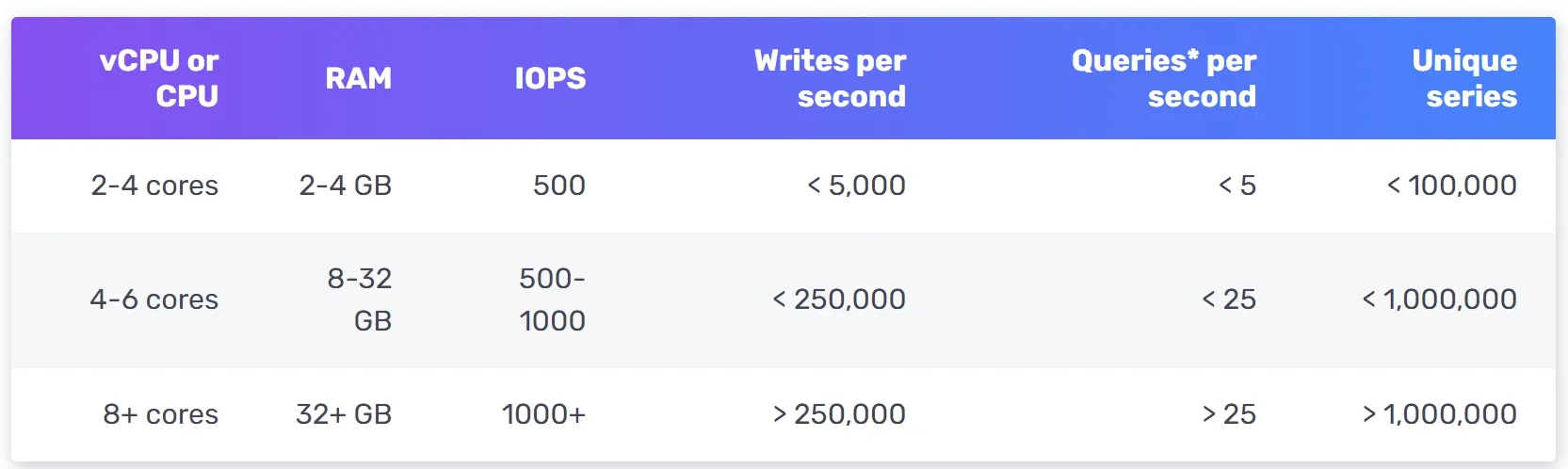
- Time-series databases (recommended): OpenTSDB (HBase-based → complex), InfluxDB, Prometheus. InfluxDB: 8 cores + 32GB RAM → 250K+ writes/sec. Strong label-based indexing for fast aggregation/analysis. Key: keep labels low cardinality
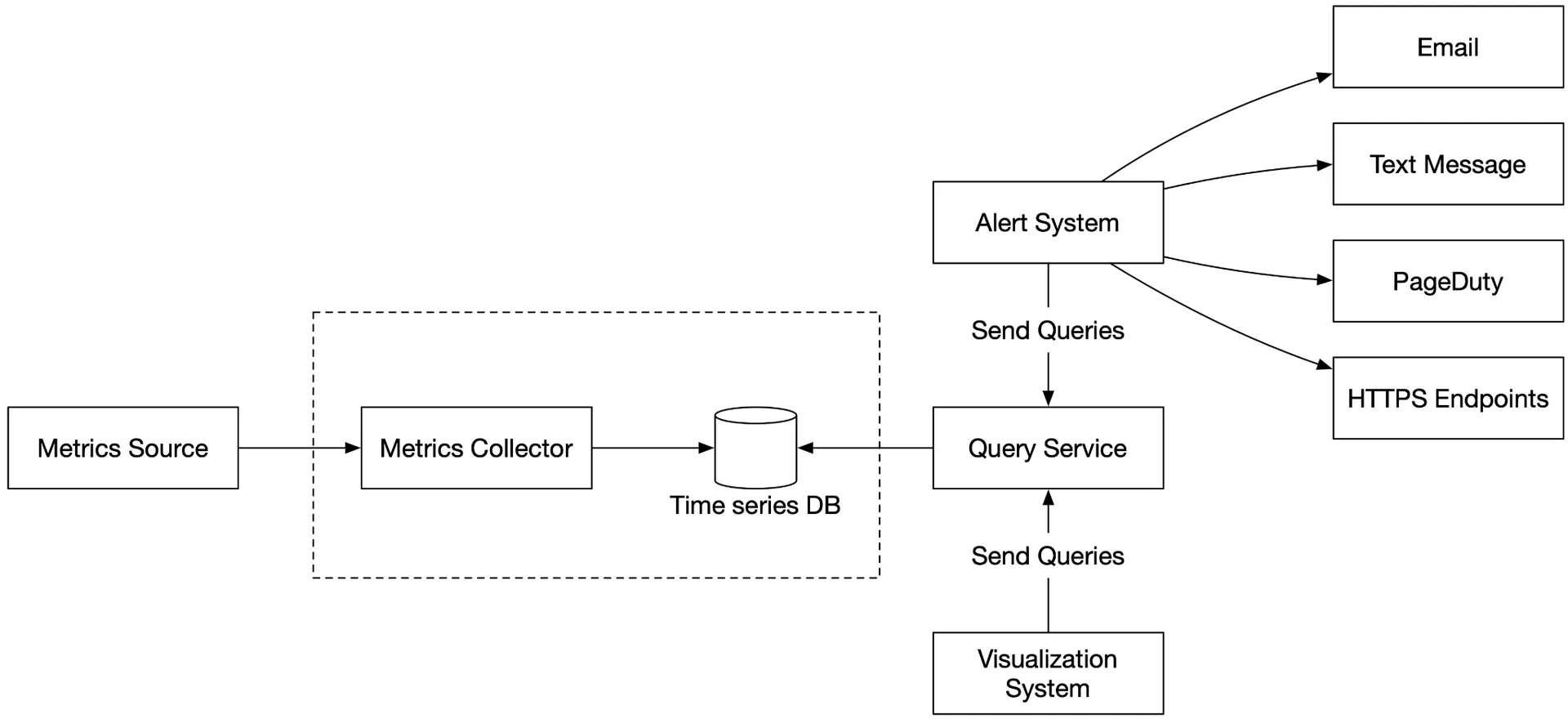
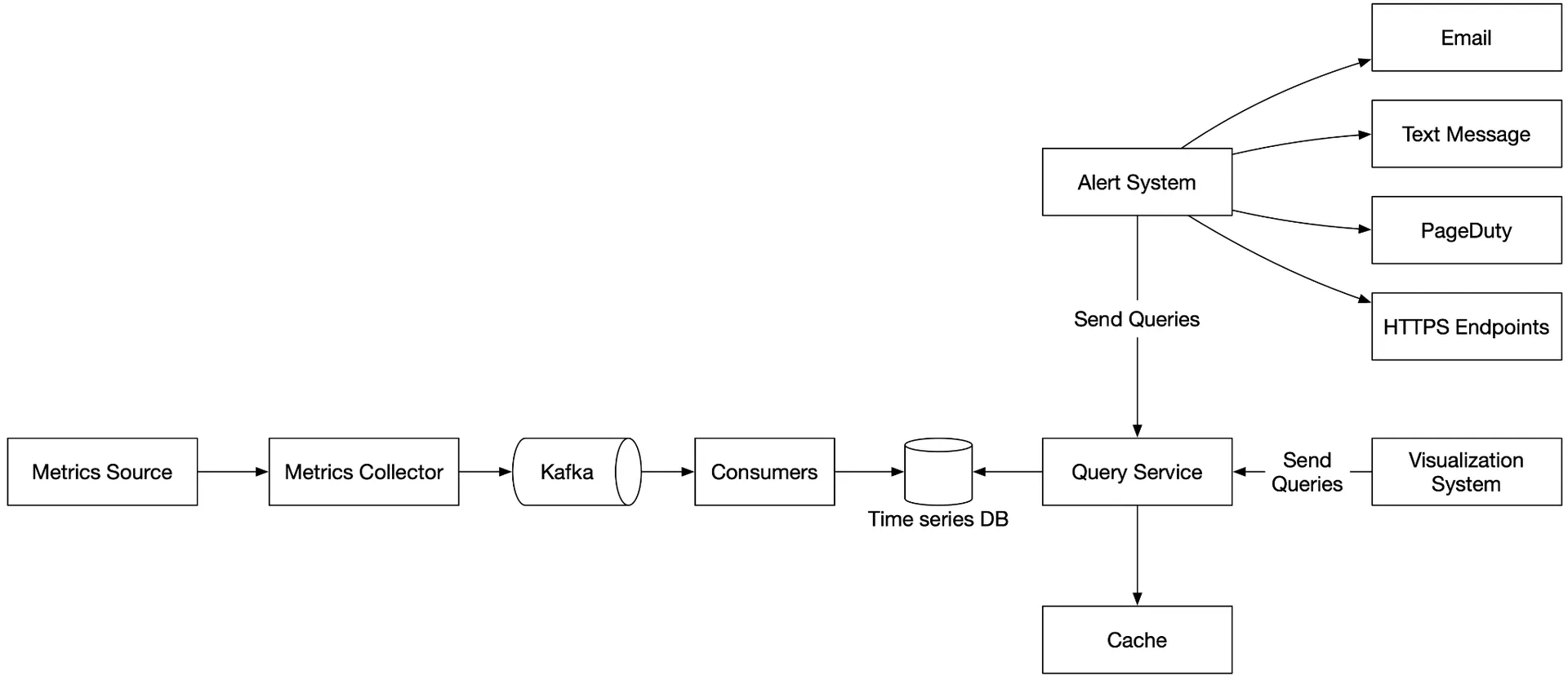
High-level design
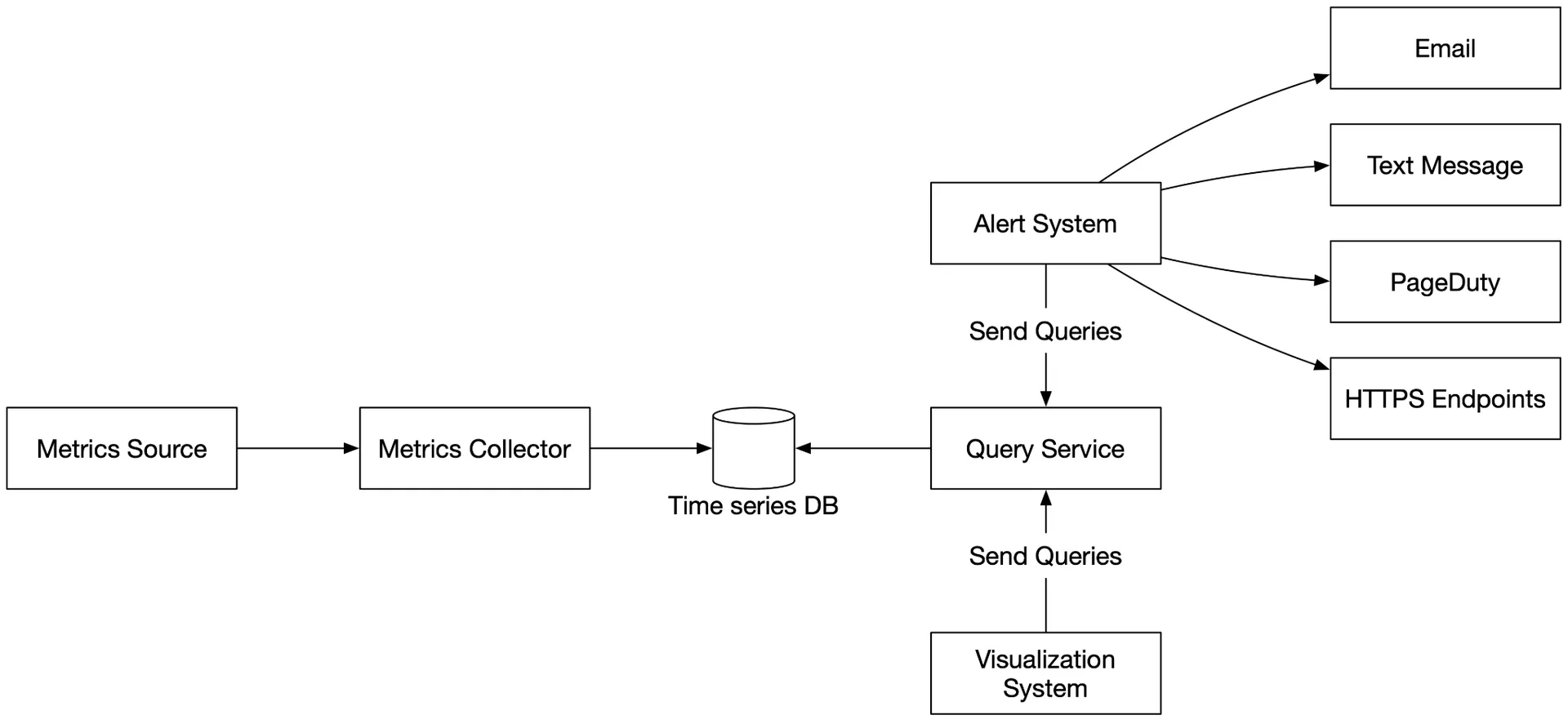
- Metrics source: app servers, SQL DBs, message queues
- Metrics collector: gathers + writes to the time-series DB
- Time-series database: stores time-series; custom query interface; label indexes
- Query service: thin wrapper for querying; could be replaced by the DB's own interface
- Alerting system: sends notifications
- Visualization system: graphs/charts
Step 3 of 4: Design deep dive
Goal: collection model, pipeline scaling, storage, alerts, visualization.
Metrics collection
Occasional data loss is acceptable (counters, CPU). Fire-and-forget OK.
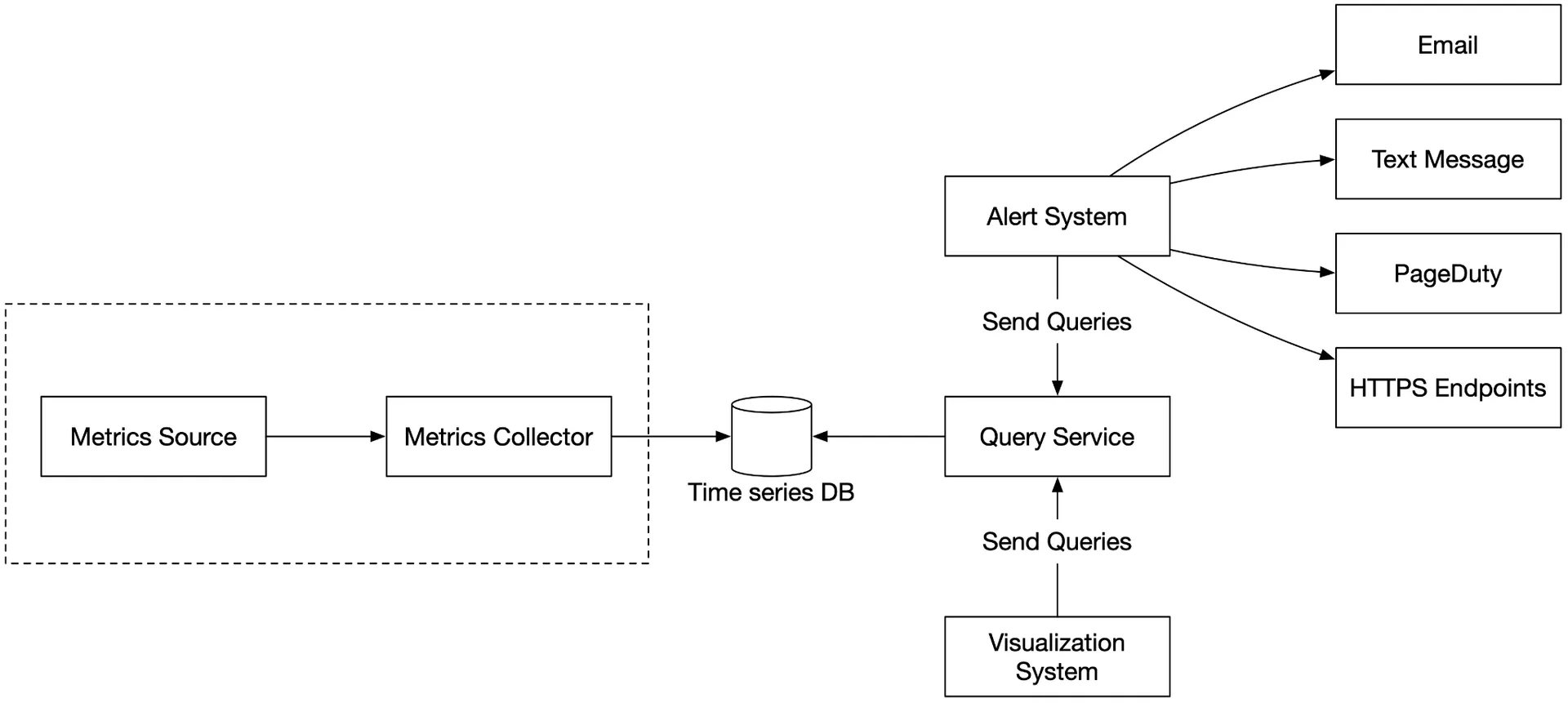
Pull model:
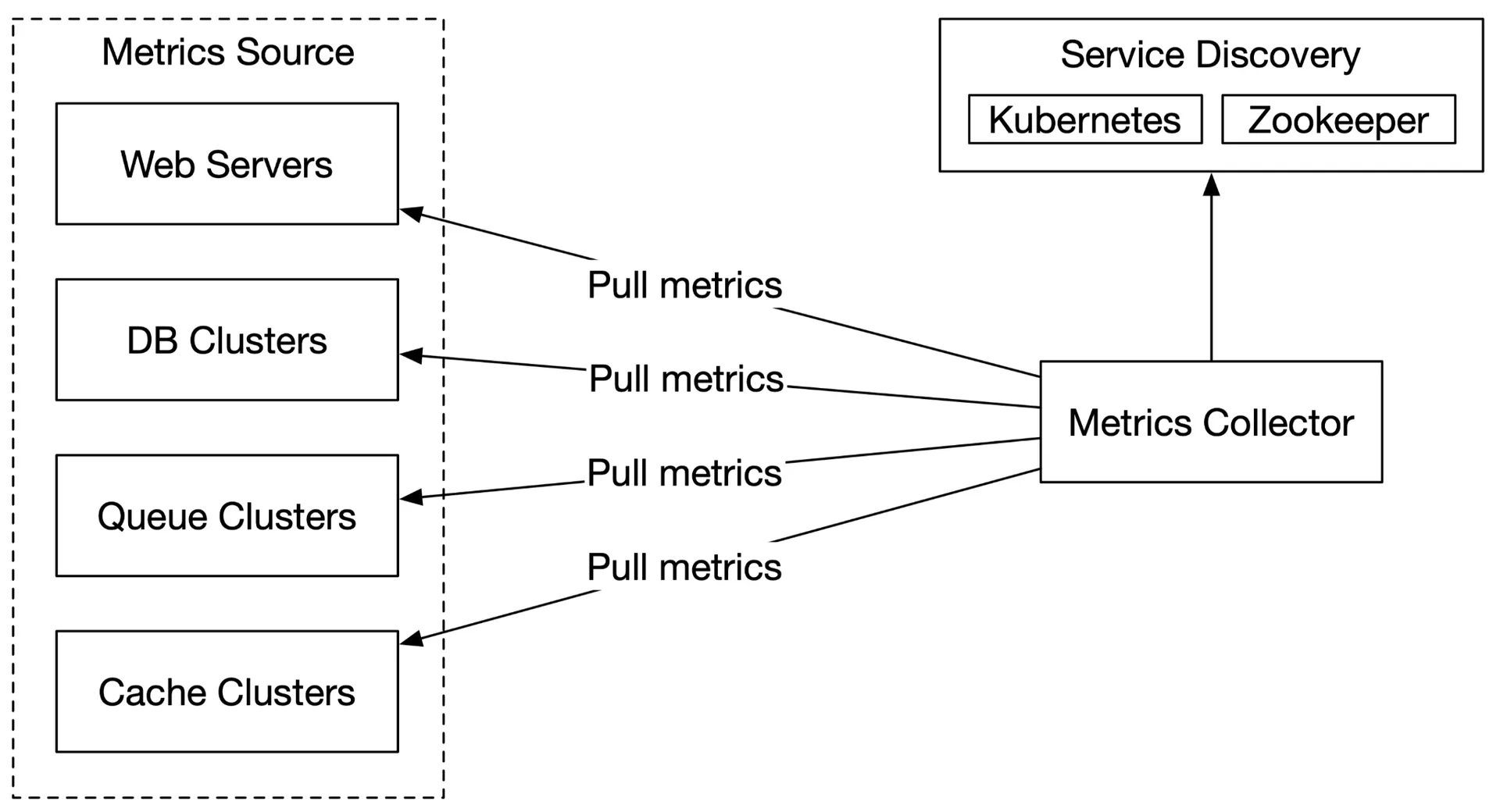
- Dedicated metric collectors pull from application
/metricsendpoints periodically - Uses Service Discovery (etcd/Zookeeper) to know endpoints; collectors subscribe to endpoint changes
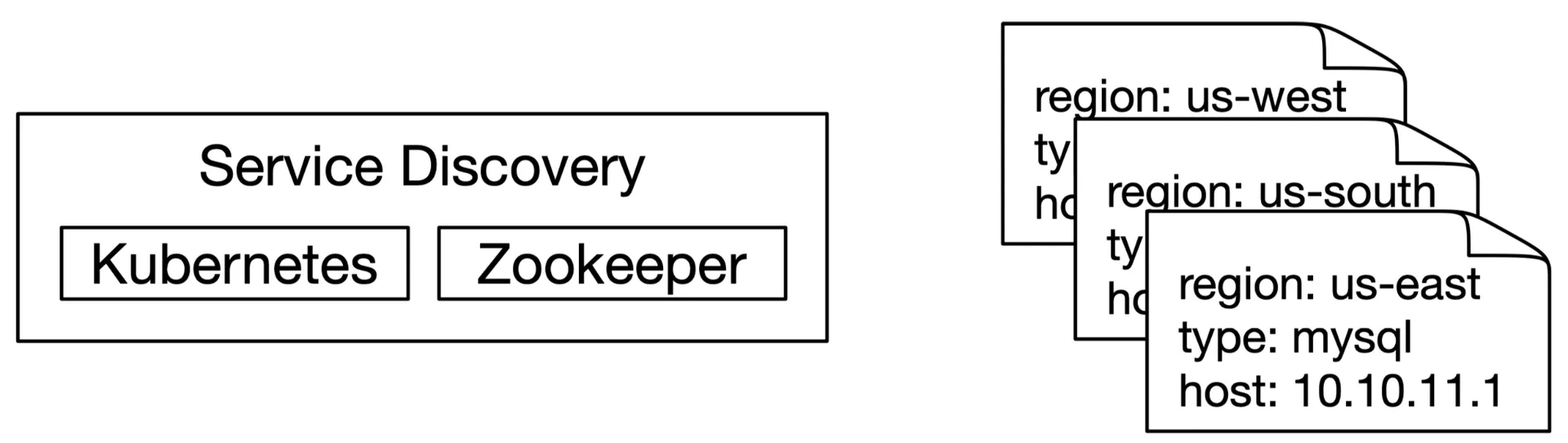
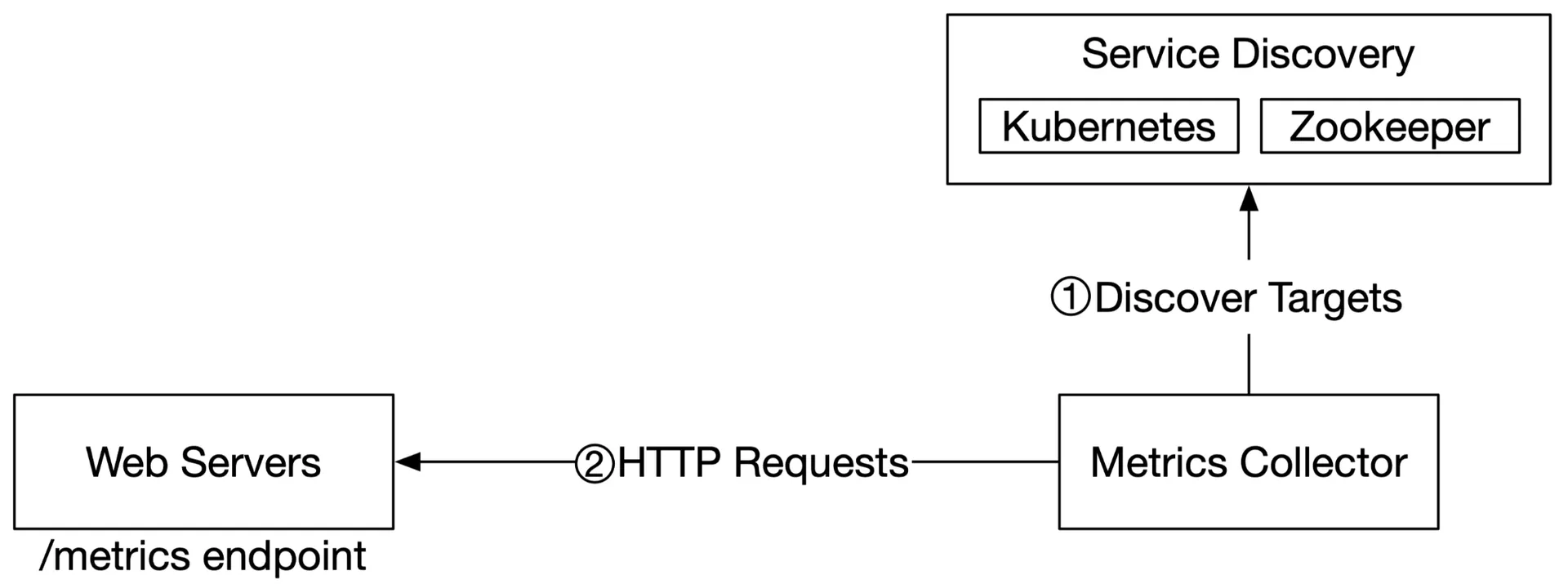
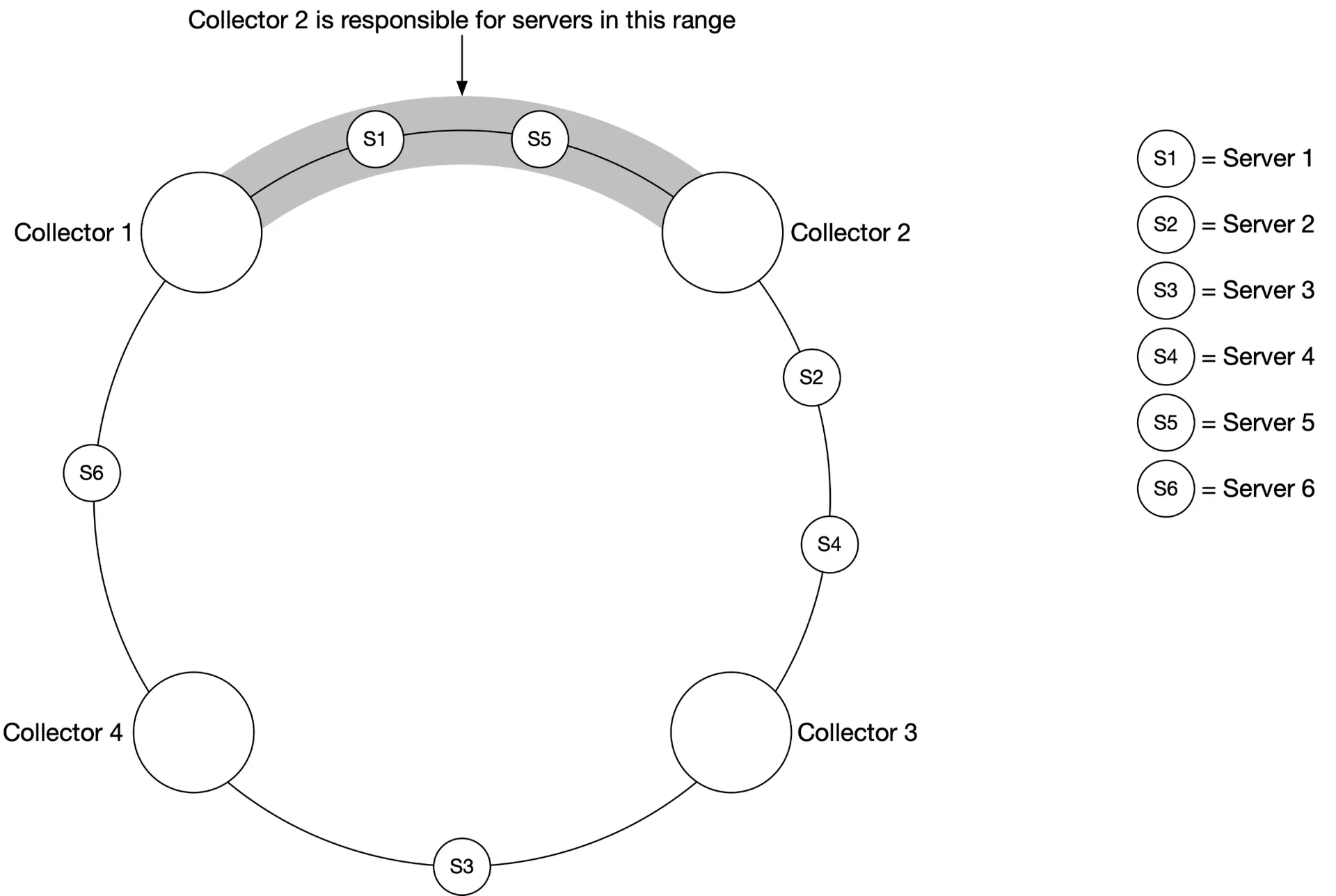
- Multiple collectors → must avoid duplicate pulls. Use consistent hashing: each collector is assigned a range; each monitored server maps to exactly one collector
Push model:
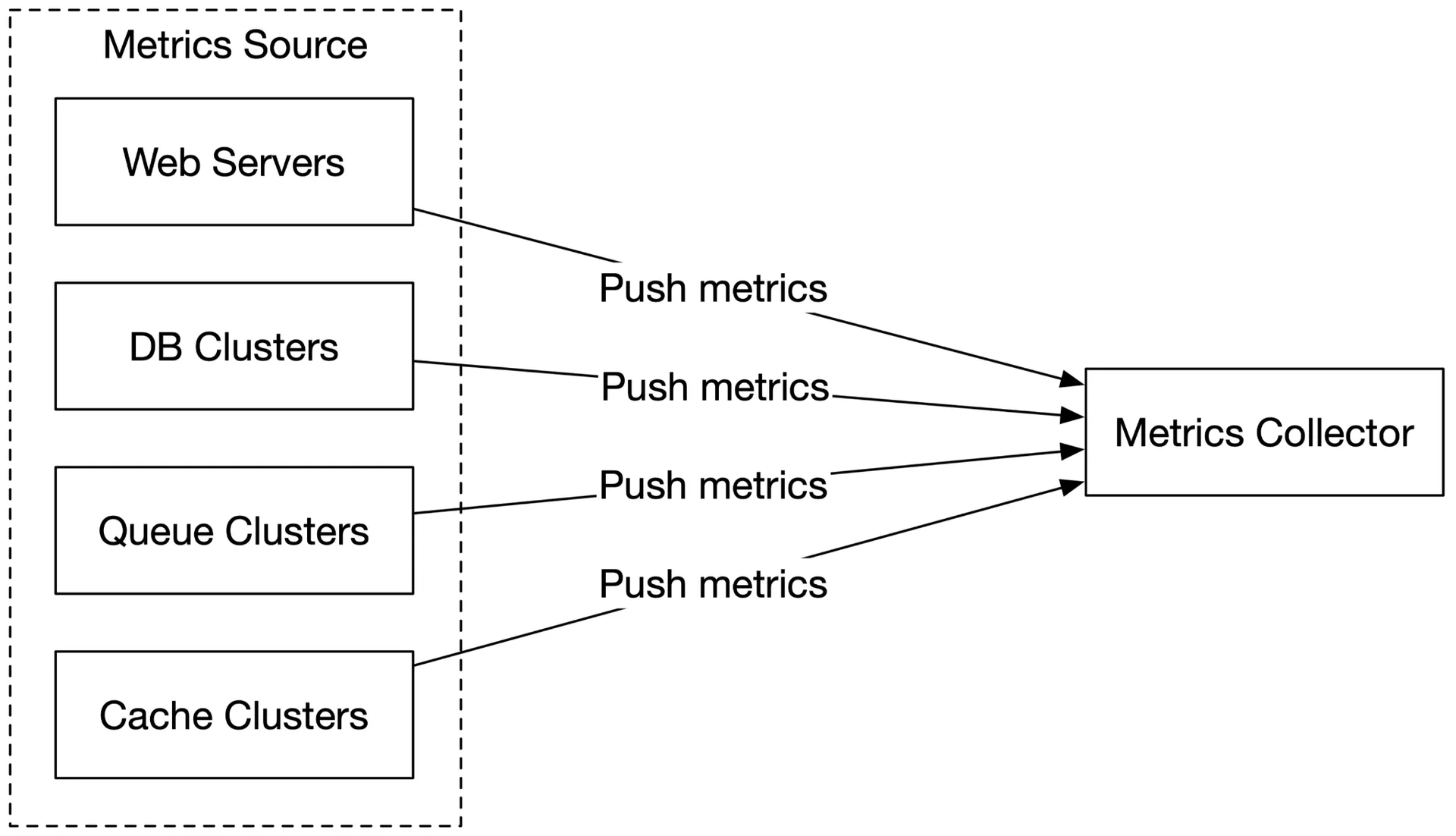
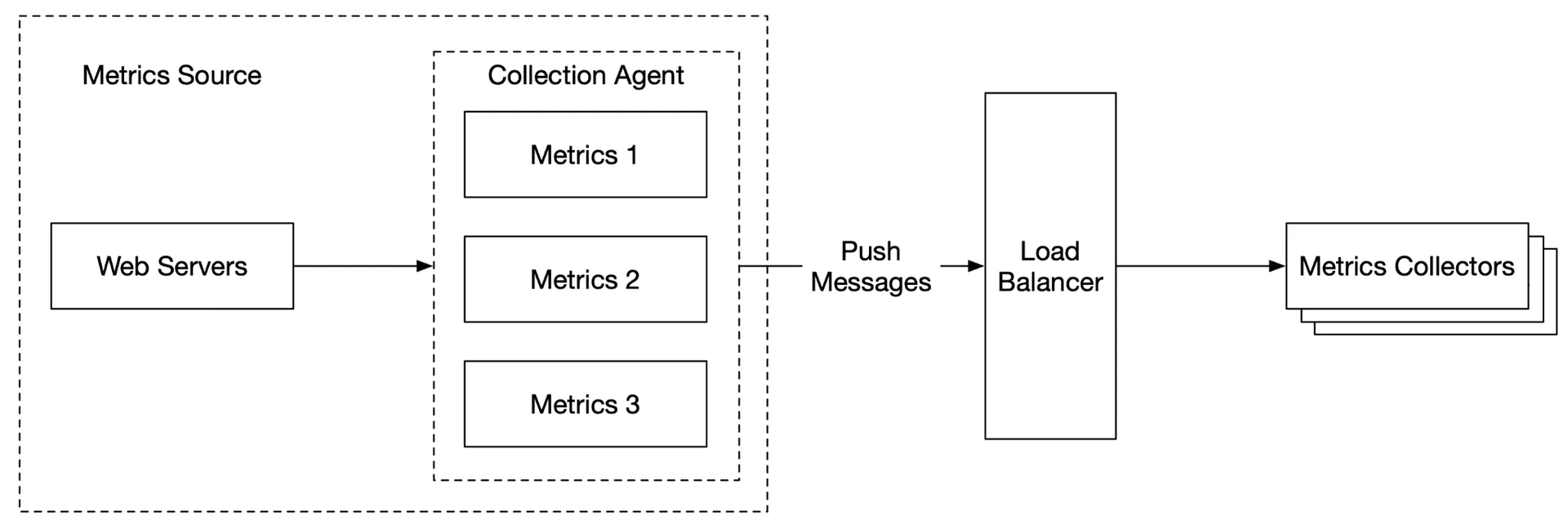
- A collection agent installed on each server → pushes metrics to the collector
- Can aggregate locally before sending
- Buffers locally if the collector rejects (risk: data loss if servers are auto-scaled out)
- Collector cluster with load balancer + auto-scaling
Pull vs Push comparison:
| Aspect | Pull | Push |
|---|---|---|
| Easy debugging | ✓ View /metrics endpoint anytime | |
| Health check | ✓ No response = down | Network issues ambiguous |
| Short-lived jobs | Needs push gateway workaround | ✓ |
| Firewall/complex network | All endpoints must be reachable | ✓ LB + auto-scale accepts from anywhere |
| Performance | TCP | UDP (lower latency) |
| Data authenticity | Pre-defined config → guaranteed | Any client (mitigated by whitelist/auth) |
- Pull examples: Prometheus
- Push examples: Amazon CloudWatch, Graphite
- Large orgs likely need both (serverless complicates agent installation)
Scale the metrics transmission pipeline
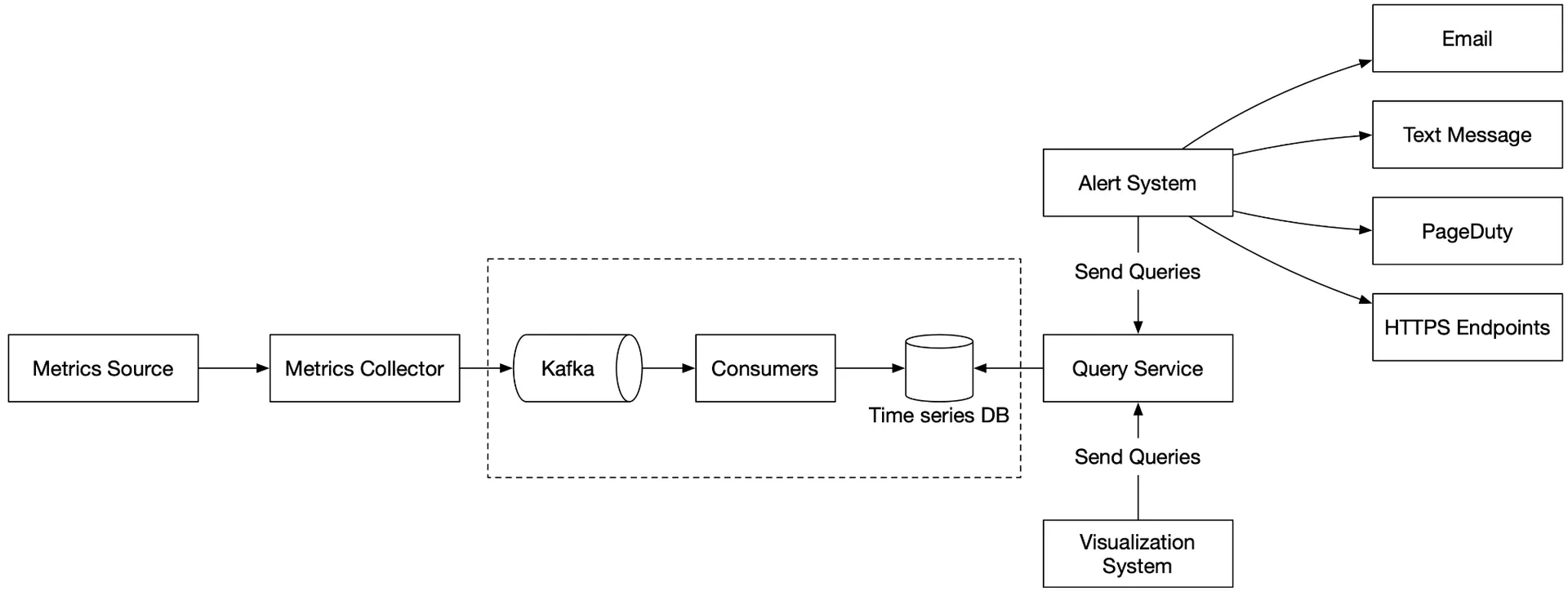
Introduce Kafka between the collector and the time-series DB:
- Highly reliable, scalable message platform
- Decouples collection from processing
- Prevents data loss when the DB is unavailable (data retained in Kafka)
Scale through Kafka:
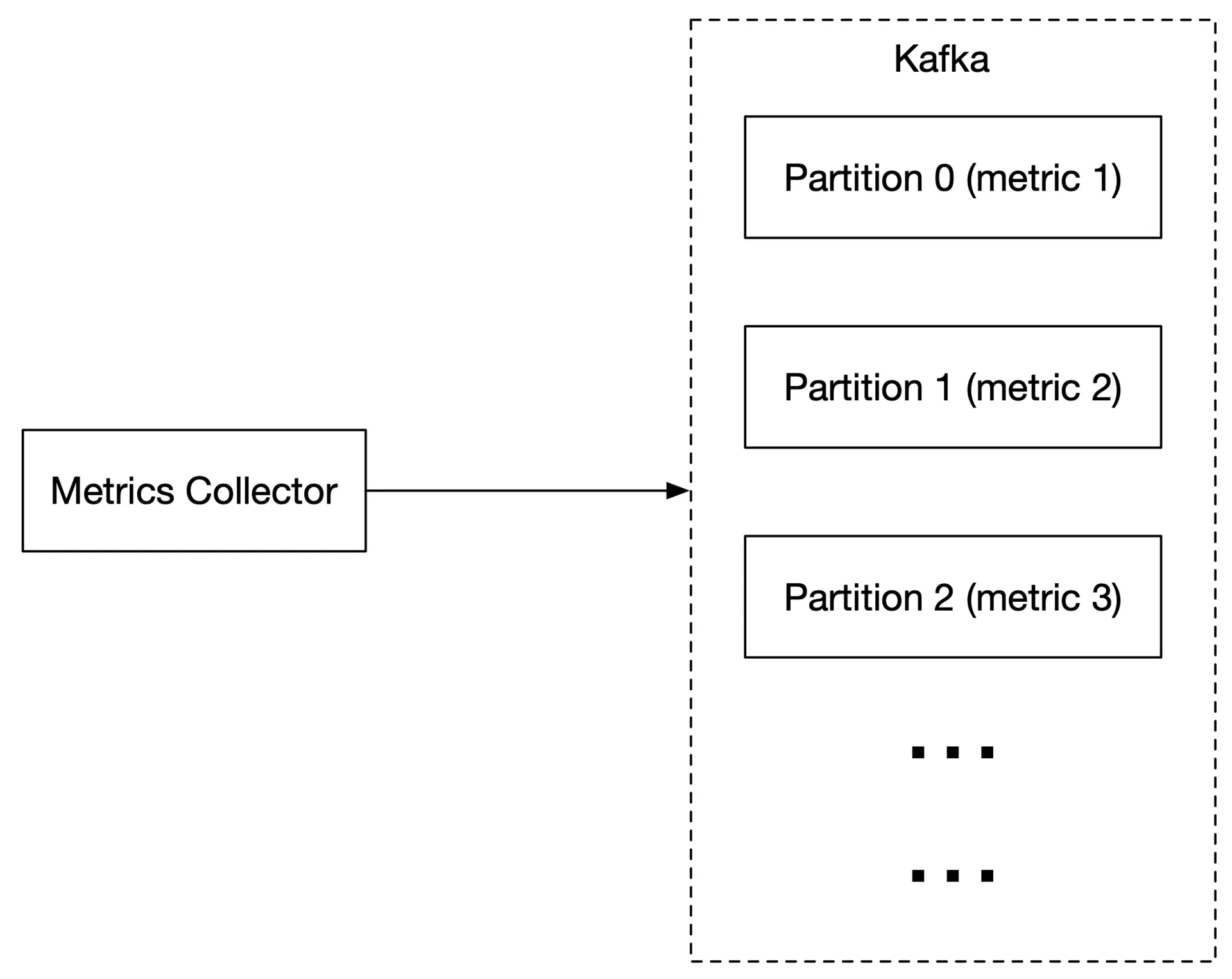
- Configure partitions by throughput
- Partition by metric name → consumers can aggregate by metric name
- Further partition by tags/labels
- Prioritize important metrics for processing first
Alternative: Facebook's Gorilla: an in-memory TSDB designed to remain highly available for writes without an intermediate queue.
Where aggregations can happen:
- Collection agent (client-side): simple aggregation (e.g. counter per minute)
- Ingestion pipeline (pre-write): stream processing (Flink). Reduces write volume significantly. Loses raw data precision. Late-arriving events challenging
- Query side (post-write): no data loss. Slower (computed at query time against the full dataset)
Query service
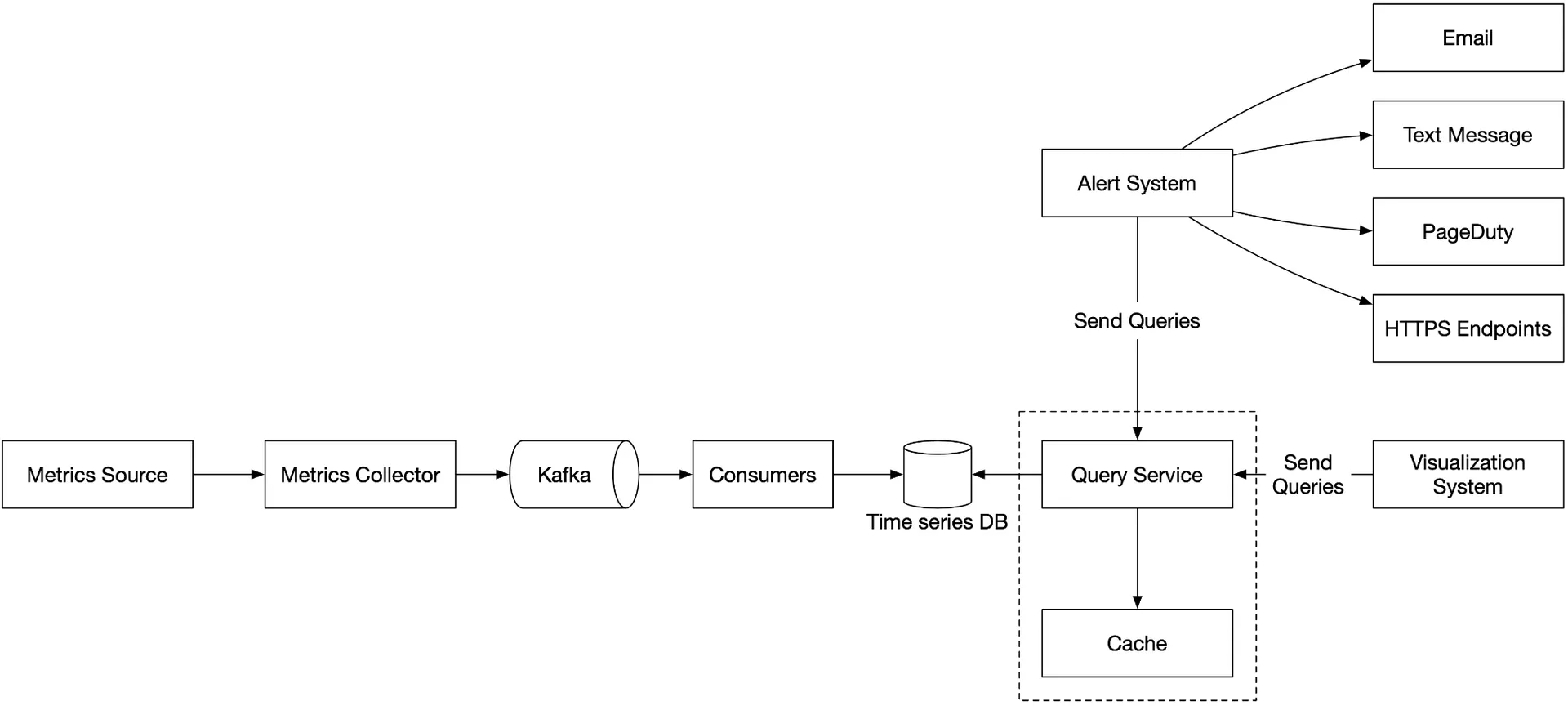
Cluster of query servers between visualization/alert systems and the time-series DB. Decouples clients from storage. Cache layer for query results. Caveat: most industrial visualization/alert systems have strong plugins for popular TSDBs: a query service may be unnecessary.
Time-series database query language
SQL is painful for time-series (exponential moving average requires nested subqueries). InfluxDB's Flux is simpler:
from(db:"telegraf")
  |> range(start:-1h)
  |> filter(fn: (r) => r._measurement == "foo")
  |> exponentialMovingAverage(size:-10s)
Storage layer
85% of queries target data from the last 26 hours (Facebook research). A good TSDB harnesses this property.
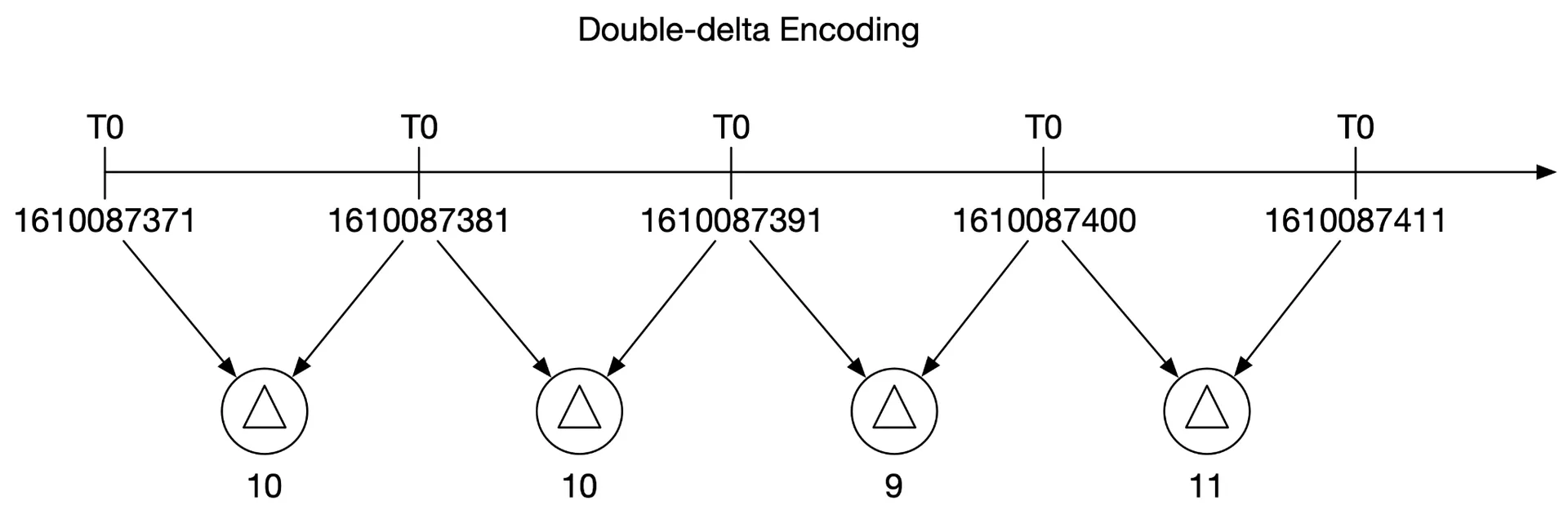
Data encoding/compression: built into good TSDBs. Store deltas instead of absolute values. Example: 1610087371, 10, 10, 9, 11 (base + deltas) instead of full timestamps.
Downsampling: convert high-res → low-res over time. Example rules:
- 7 days: no sampling
- 30 days: 1-minute resolution
- 1 year: 1-hour resolution
10s → 30s rollup: average 3 consecutive values.
Cold storage: rarely-used inactive data at much lower cost.
Alert system
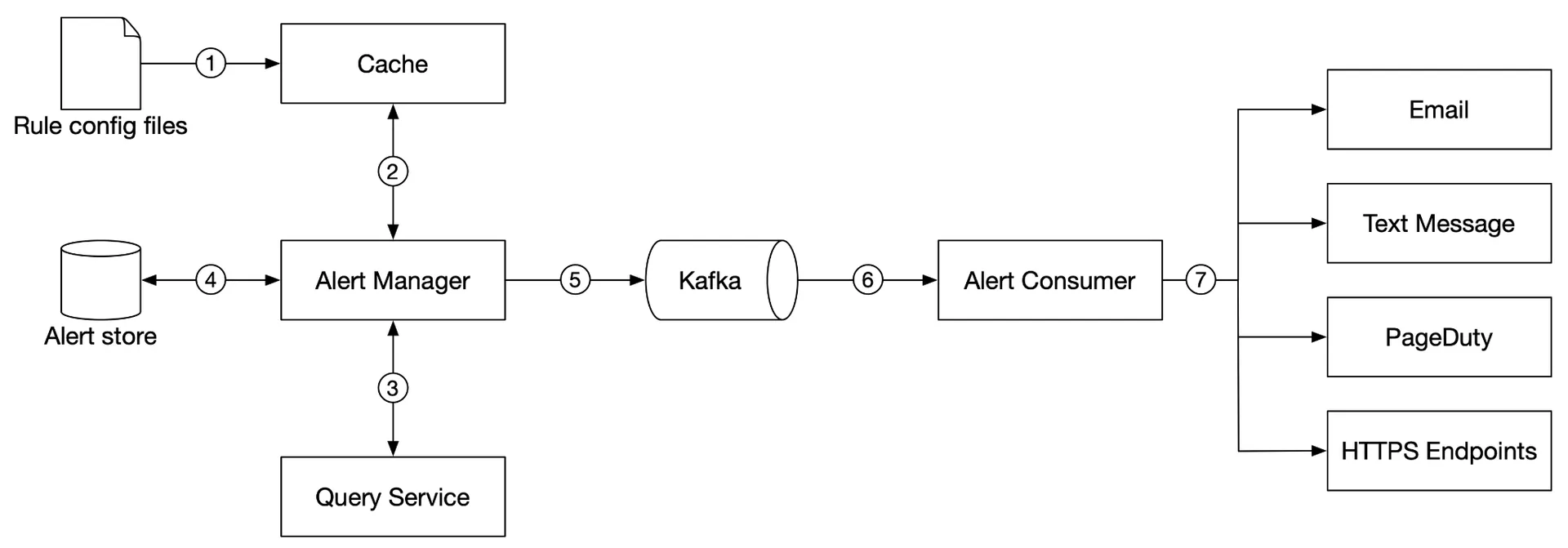
- Alert rules (YAML) loaded into cache
- Alert manager fetches config from cache
- Alert manager calls the query service at intervals. If the threshold is violated → creates an alert event
- Alert store (Cassandra KV) tracks alert states (inactive, pending, firing, resolved). Ensures at-least-once notification
- Eligible alerts → Kafka
- Alert consumers pull from Kafka
- Consumers send notifications (email, SMS, PagerDuty, webhook)
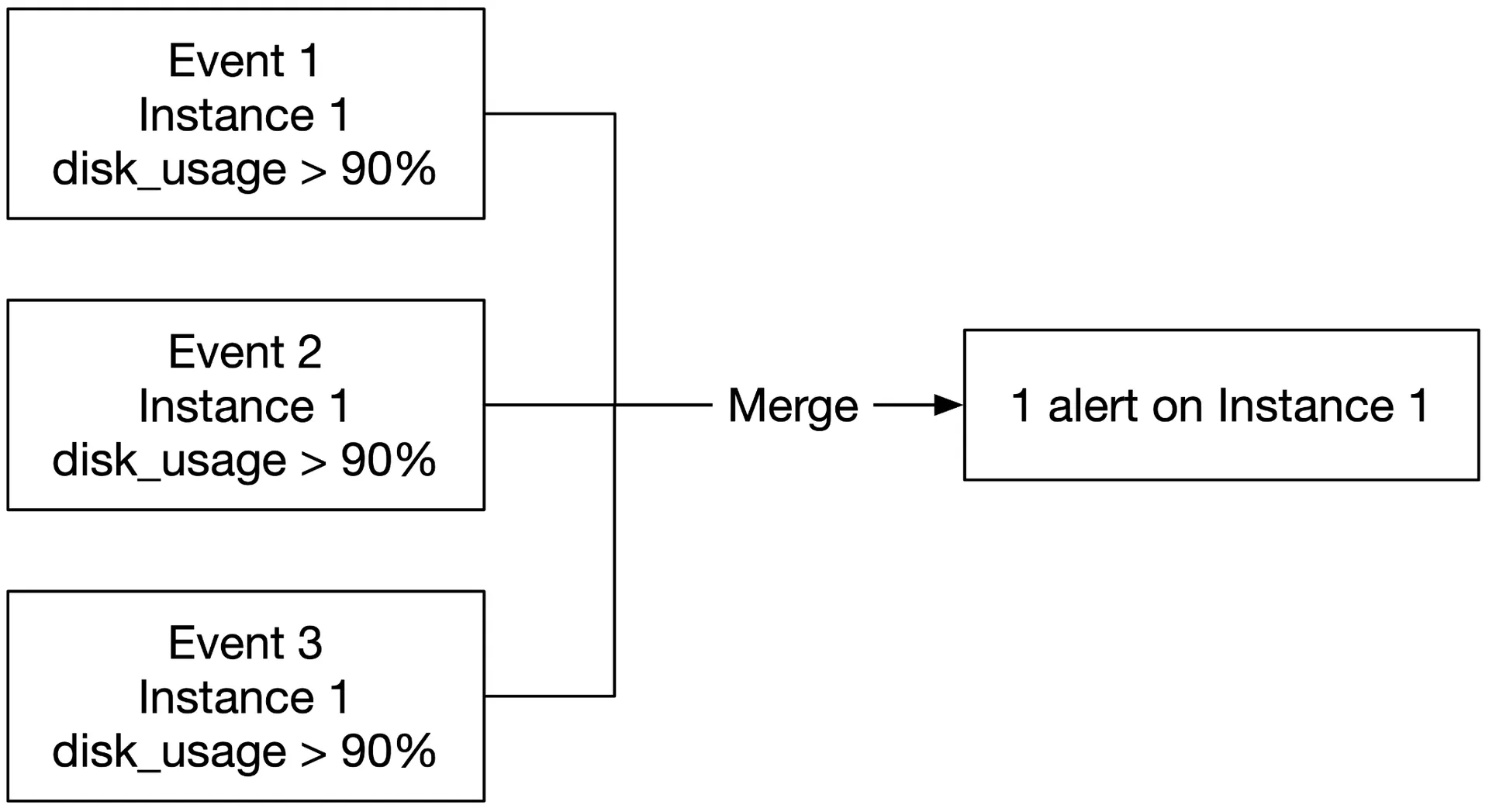
Alert manager also handles: filter/merge/dedupe alerts, access control, retry.
Build vs buy: off-the-shelf alert systems integrate well with popular TSDBs and notification channels. Building your own is hard to justify.
Visualization system
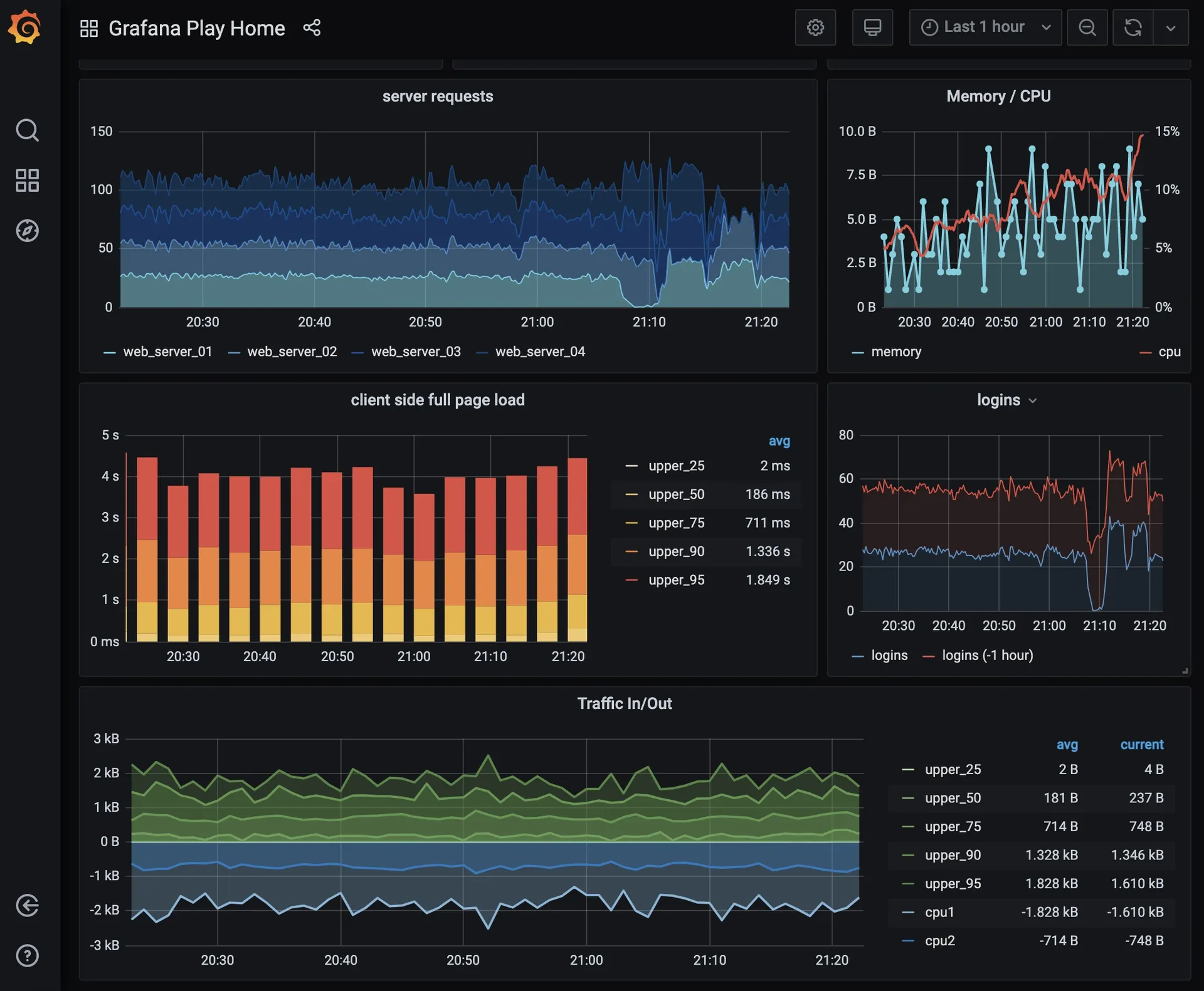
High-quality visualization is hard to build. Use off-the-shelf (e.g. Grafana): it integrates with many TSDBs.
Final design
Step 4 of 4: Wrap up
What we designed:
- Pull vs push collection models
- Kafka for scaling the pipeline
- The right time-series database
- Downsampling for space efficiency
- Build vs buy for alerting/visualization: final design integrates all components through Kafka decoupling